Open-source MacUpdater replacement. Keep all your macOS apps up to date
OpenUpdater
Keep every Mac app up to date — from one open, community-driven source.
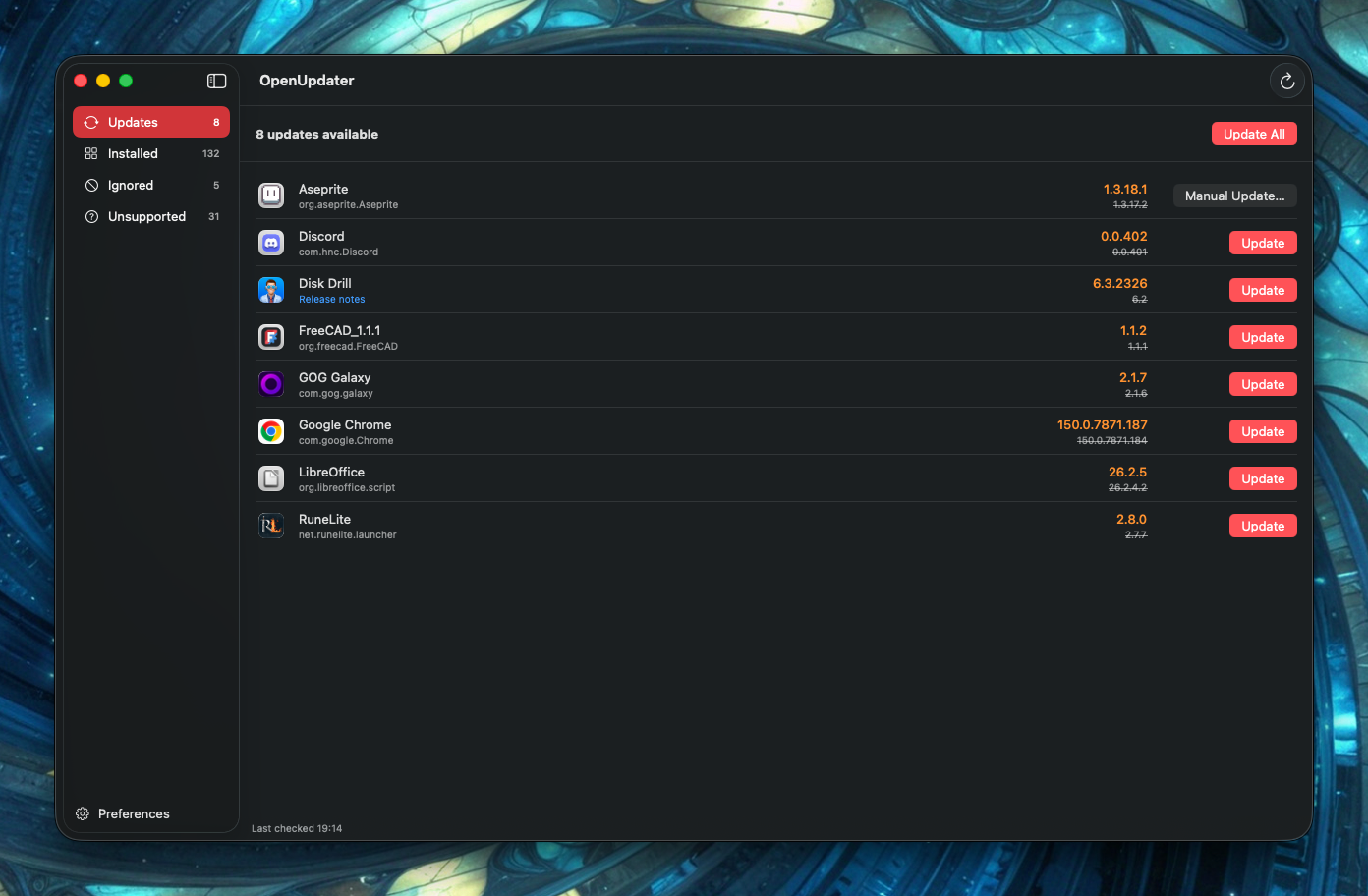
OpenUpdater is a lightweight macOS menubar app that scans the apps in your /Applications folder,
finds newer versions, and updates them in a click. It isn’t limited to App Store or any single
package manager — it covers regular Mac apps: GitHub releases, Sparkle-based apps, and direct
downloads.
OpenUpdater provides a crowdsourced, community-maintained set of update sources. Coverage grows as people add recipes, so OpenUpdater can keep up with apps that have no built-in updater of their own.
Features
- 🔍 Automatic scanning — reads your installed apps and checks each for a newer version.
- 🔄 Per-app re-scan — re-check a single app on demand, so updates applied elsewhere are picked up right away.
- ⬆️ One-click updates — download, verify, and replace an app in place. Update one, several, or all at once.
- 🧩 Works with many sources — GitHub Releases, Sparkle appcasts (auto-detected), and direct HTTP/JSON/XML/YAML version feeds.
- 🌐 Always-fresh recipes — new and updated recipes are fetched automatically from GitHub, so coverage grows without waiting for a full app update.
- 🪶 Lives in your menubar — a quick popover for a glance, plus a full window for the details.
- 🔔 Release notes — jump straight to an app’s changelog before you update.
- 🙈 Ignore lists — silence an app entirely, or skip just one version you don’t want.
- 🧭 Spot the gaps — see which apps have no update source yet, and report them in a click to help grow coverage.
- 🧪 Pre-releases — opt into beta/pre-release builds on a per-app basis.
- 🌿 Release channels — for apps with more than one stream (Firefox/Thunderbird ESR, LibreOffice Fresh/Still, Blender LTS, …), pick which one to track per app.
- 🔐 Optional GitHub token — raises GitHub’s rate limit for faster, more reliable checks (stored encrypted in your Keychain).
Installation
- Download the latest
OpenUpdater.dmgfrom the Releases page. - Open the DMG and drag OpenUpdater into your Applications folder.
- Launch it from Applications. OpenUpdater appears in your menubar (the two-arrows icon).
[!NOTE]
The first time you open it, macOS may ask you to confirm. If it’s blocked, right-click the app in Finder and choose Open, then confirm.
Requirements: macOS 13 (Ventura) or later.
Usage
Click the menubar icon for a quick popover, or open the full window for the details, tabs, right-click actions, and Preferences.
See docs/usage.md for the full guide, including how updates install and the optional Background Helper.
Contributing
Coverage grows through community-maintained update recipes — request an app, author one in the app, or open a pull request. Most ways need no fork.
See docs/contributing.md for the recipe format and all the ways to help.
[!NOTE]
Recipes are synced from GitHub before each check, so an app you’re running can pick up recipes that shipped after it — including brand-new ones — without needing an app update. Recipes that rely on engine features your version doesn’t have yet are skipped until you update.